
Agenda
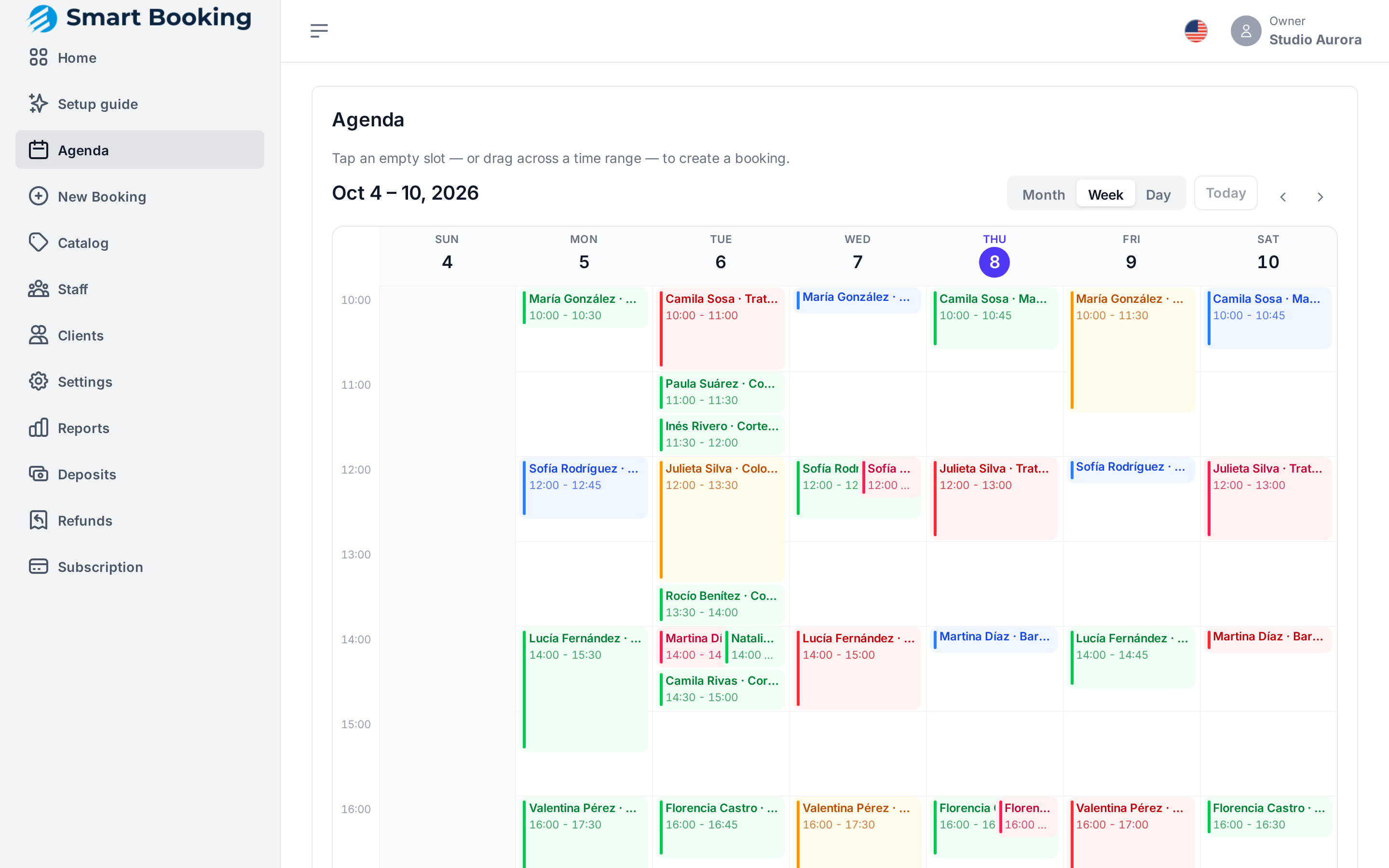
The whole business's calendar. It updates live: if a client books from the link or someone on the team moves an appointment, you see it appear without reloading.
Getting around
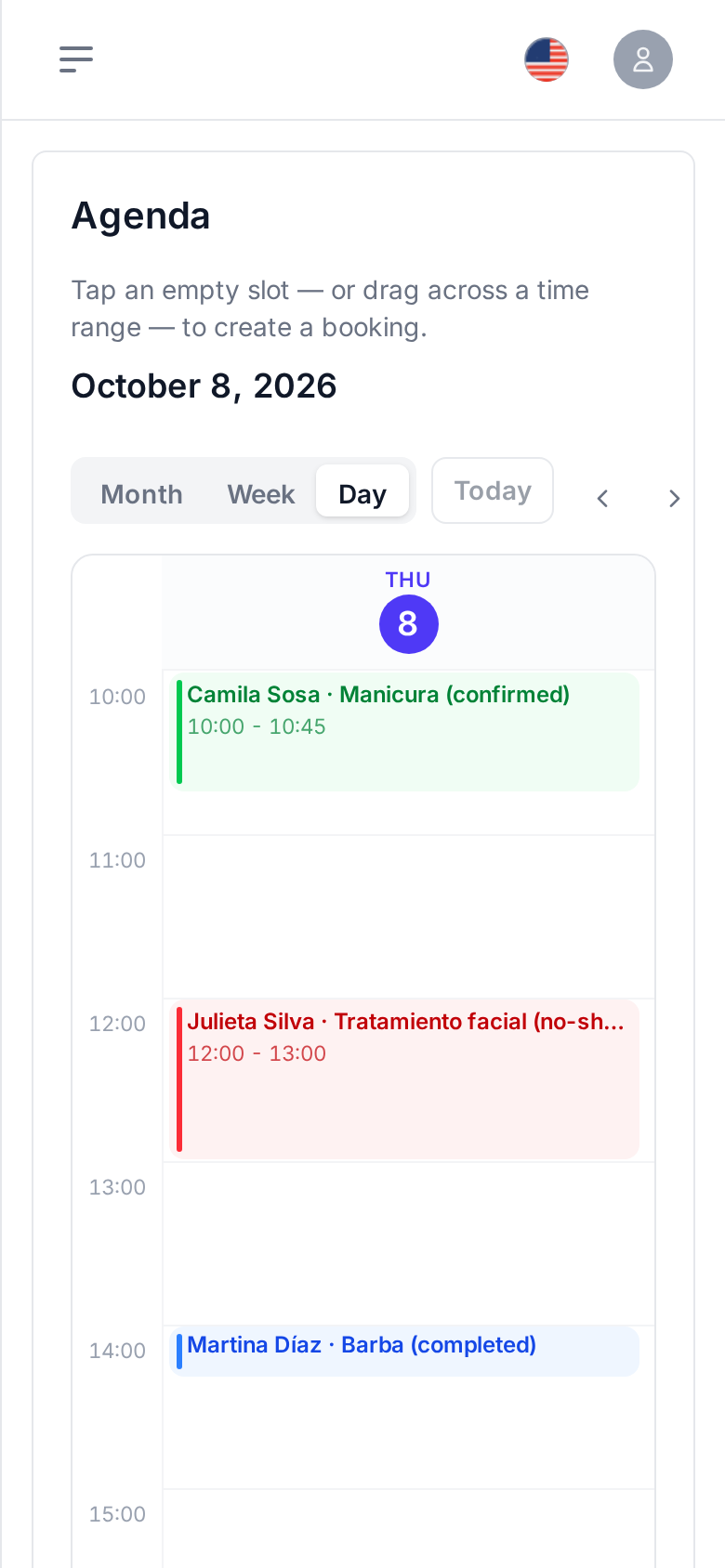
- Month / Week / Day switches the view. On a phone it starts on Day.
- Today jumps back to today, and the ‹ › arrows go forward or back.
- In month view, tap a day to open it.
- Grey hours are outside business hours and can't be booked.
Each appointment shows client · service and its status color. Walk-in means an appointment with no client attached.
Booking from the agenda
- Tap an empty slot, or drag across a range of hours.
- Pick the Service, Staff and Client (search by name or phone, or tap New client).
- Tap Book slot.
If you'd rather see which times are free first, use New booking.
Messages you may see
- Outside business hours: that time isn't within the business hours. Change them in Hours and closures.
- Slot not available: the person doesn't work then, already has an appointment, or there's a closure.
- Slot just taken: someone booked it a moment ago. The agenda refreshes on its own.
Handling an appointment
Tap an appointment to open it: status, service, start and end, staff member and phone.
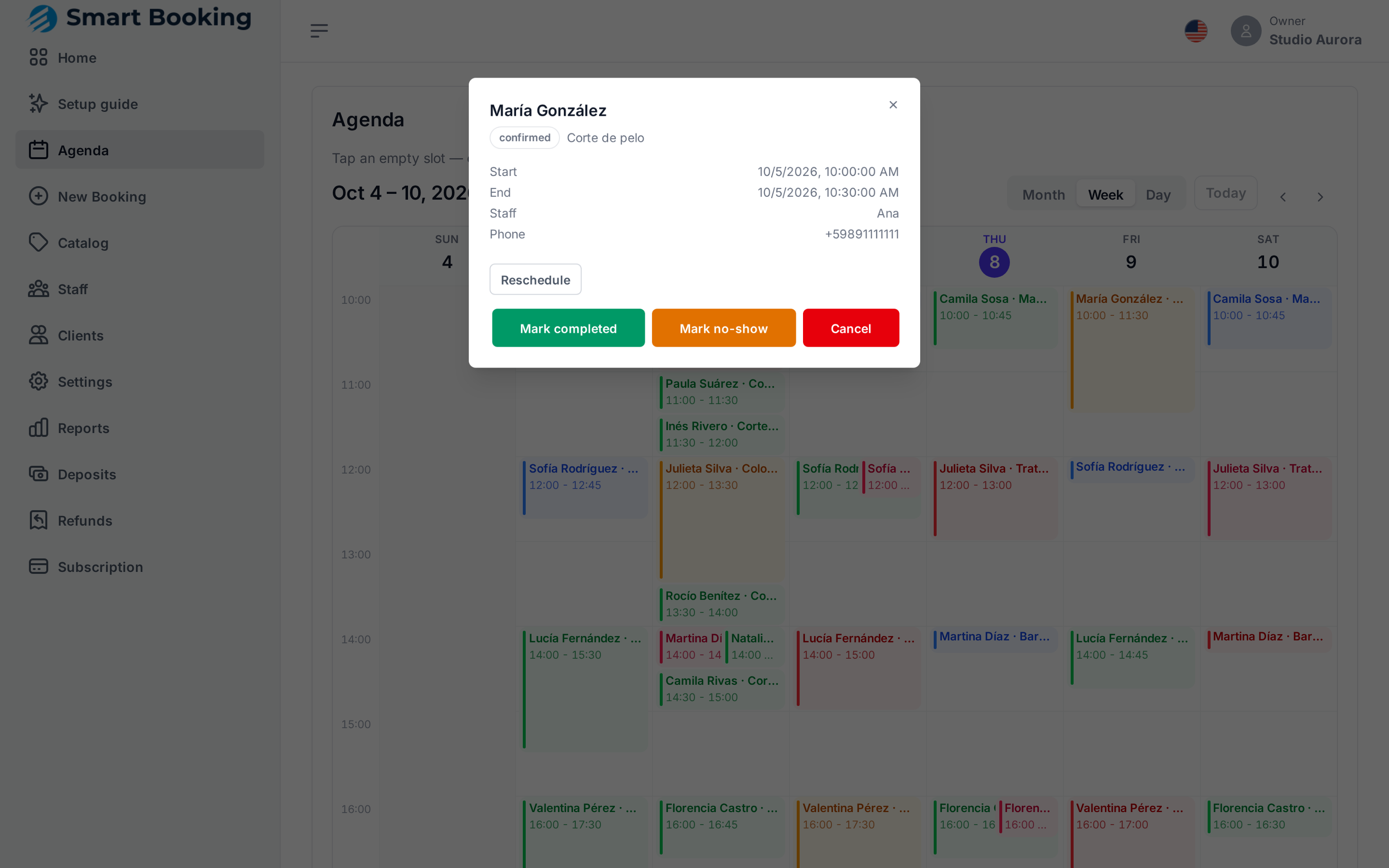
The buttons depend on the status (how an appointment works):
| If the appointment is… | You can |
|---|---|
| Held (deposit missing) | Confirm (if you took the deposit another way) or Cancel |
| Confirmed | Mark completed, Mark no-show or Cancel |
| Completed, cancelled, expired or no-show | Nothing: it's a final state |
Moving an appointment (reschedule)
- Open the appointment and tap Reschedule.
- Choose the New time. It's always in the business's time zone.
- In the staff drop-down, leave Keep current staff to stay with the same person, or pick someone else.
- Tap Move appointment.
The client gets a notice with the new time and a fresh reminder for the day before.
On a phone
The agenda works the same on a phone. It starts in Day view so it's readable.
If you're a professional and only want your own appointments, the Staff app is simpler.