
Install and sign in
The Staff app is your day's agenda on your phone. You see your appointments, call or message the client, and mark each appointment completed or no-show.
Before you start
The business owner must have given you access with your email (how that's done). Without it you can't sign in.
Install
Open staff.sbooking.app on your phone:
- Android (Chrome): ⋮ menu › Add to Home screen › Install.
- iPhone (Safari): Share button (the square with the arrow) › Add to Home Screen.
You get an icon like any other app. More in Install the app.
Sign in
- Enter your Email and tap Email me the code.
- Check your inbox. You get a 6-digit code.
- Enter it and tap Verify and sign in.
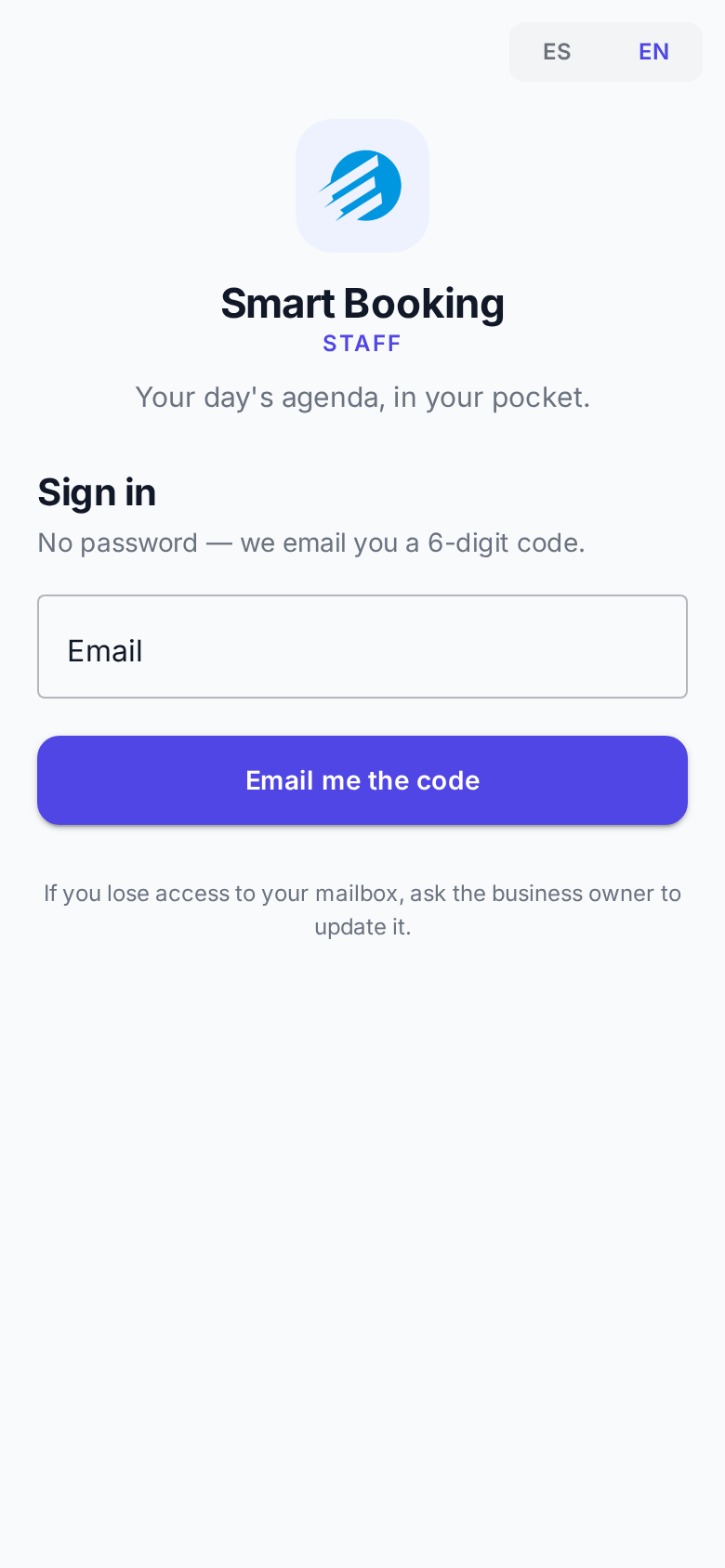
There's no password. The code expires after 10 minutes. If it doesn't arrive, tap Send a new code (the previous one stops working) and check your spam folder.
You stay signed in. It only asks for a code again if you go more than two weeks without opening the app.
Language and signing out
- ES / EN at the top switches the language.
- The door-with-arrow icon signs you out.
Lost access to your email?
Ask the business owner to update it.