
First-time setup
The first time you sign in, the Setup guide walks you through the minimum you need to start taking bookings. If you skipped it, it's under Setup guide in the menu.
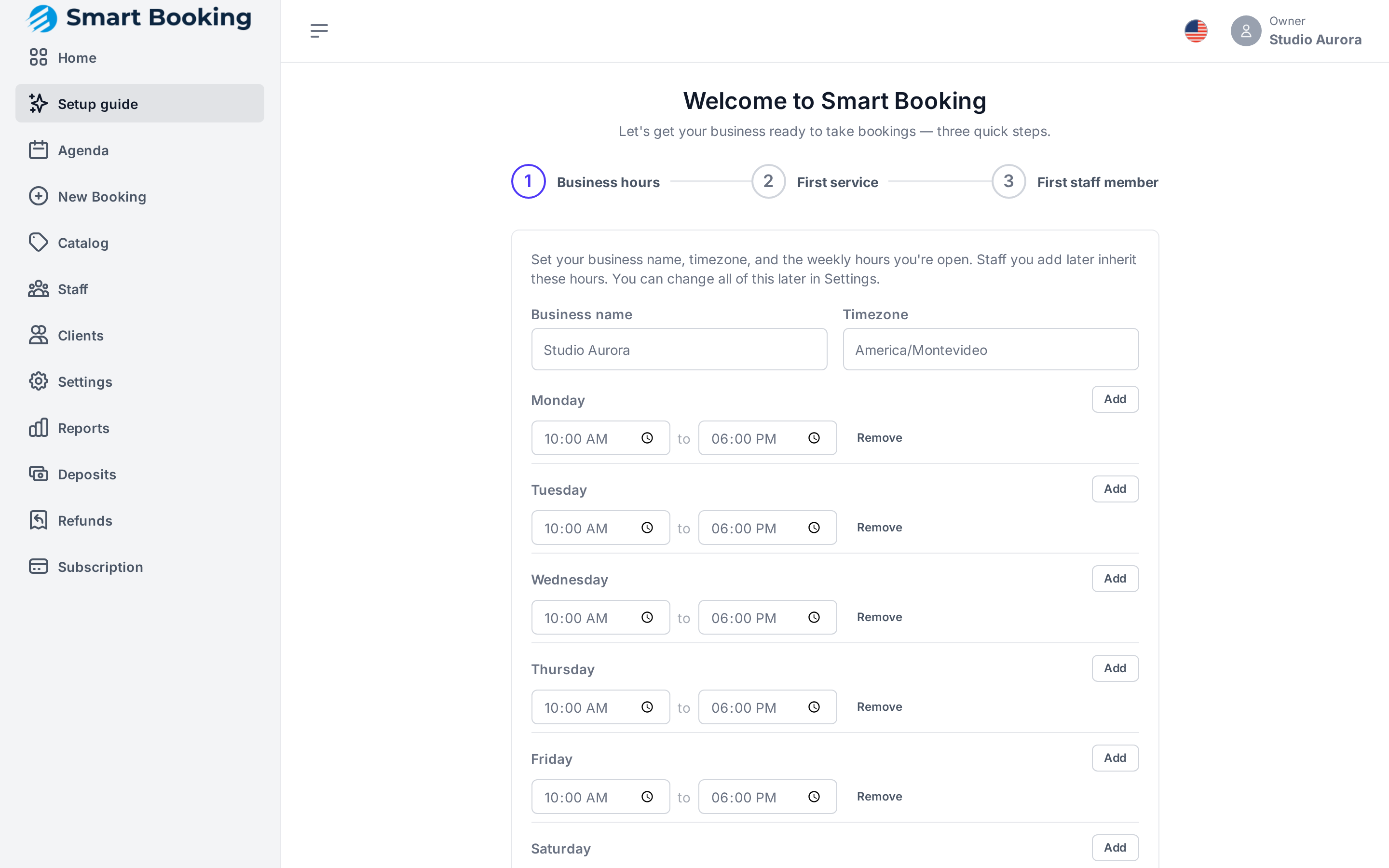
Step 1: Business hours
- Business name and Time zone (in Uruguay:
America/Montevideo). - The days and hours you're open. An empty day is Closed.
Staff you add later inherit these hours. You can change each person's hours later in Staff.
Step 2: First service
Name (e.g. Haircut), Duration (min) and Price. Deposits and more services are added later in the Catalog.
Step 3: First staff member
Just the name. They are assigned the service from step 2 so it can be booked right away. If you work alone, add yourself.
Finish with Go to agenda. You can take bookings now.
Checklist to finish setting up
After the guide, we recommend this order:
| # | What | Where |
|---|---|---|
| 1 | Add all your services and who performs each | Catalog |
| 2 | Add the rest of your staff and their hours | Staff |
| 3 | Give each professional access to the app | Staff › Create login |
| 4 | Upload your logo and banner | Settings › Business |
| 5 | Link the business's WhatsApp | WhatsApp and reminders |
| 6 | If you take deposits: MercadoPago or bank details | Deposits and payments |
| 7 | Add holidays and time off you already know about | Hours and closures |
| 8 | Share your booking link | Your booking link |
| 9 | Install the app on your phone or the front-desk tablet | Install the app |