
Settings
Owner-only. It has four tabs:
| Tab | What's in it |
|---|---|
| Business | Booking link, name, slug, time zone, phone country code, logo and banner |
| Hours | Default business hours, closures and time off → Hours and closures |
| Payments | MercadoPago and the bank account for deposits → Deposits and payments |
| Reminders | The business's WhatsApp → WhatsApp and reminders |
A tab with unsaved changes shows an orange dot.
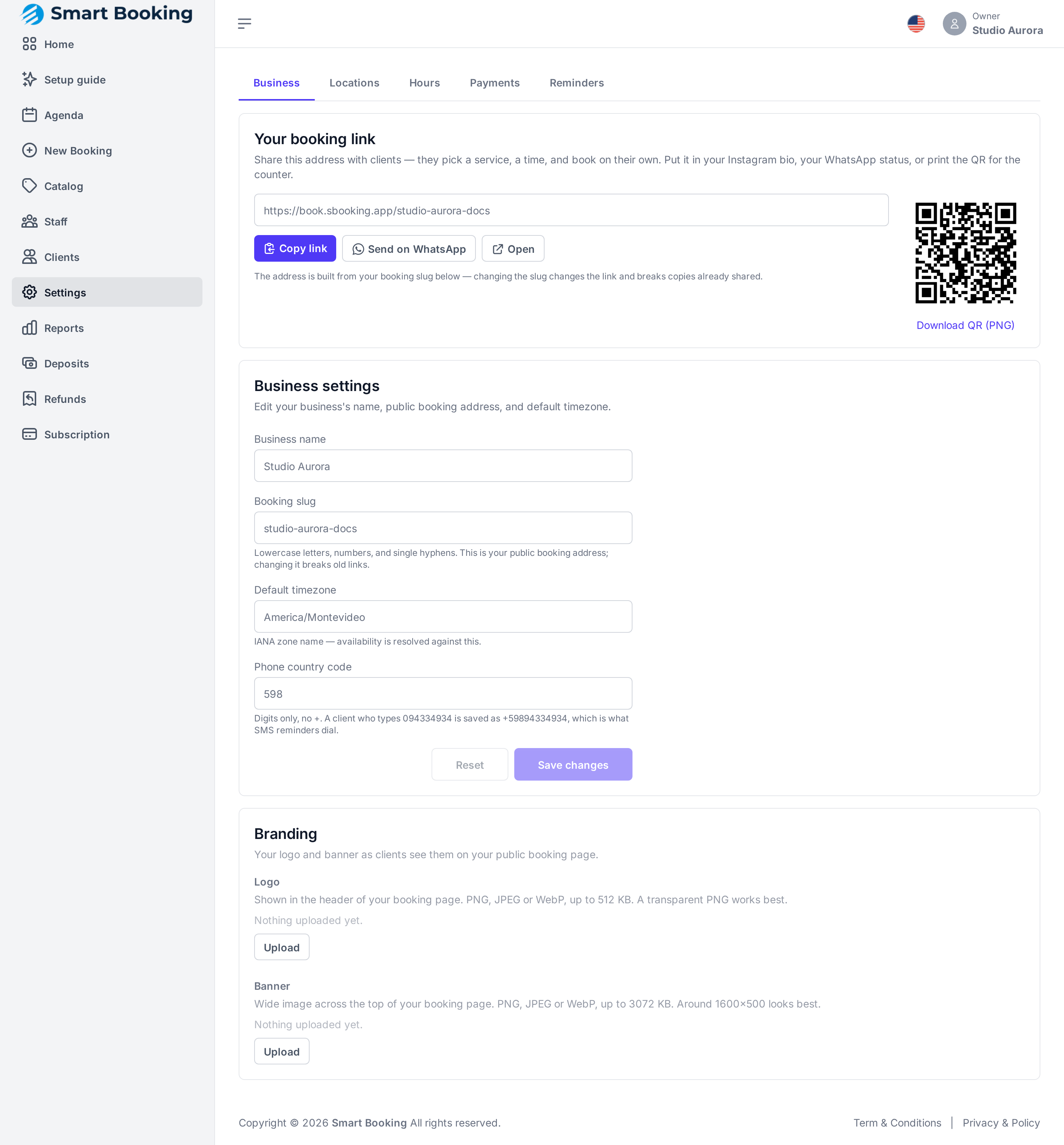
Your booking link
At the very top, to copy it, send it on WhatsApp or download the QR. See Your booking link.
Business settings
- Business name: what clients see.
- Booking slug: the end of your link. ⚠️ If you change it, old links stop working.
- Default timezone: the business's (
America/Montevideoin Uruguay). Every time is worked out in this zone. - Phone country code: digits only, no
+(Uruguay598, Argentina54, Brazil55). If a client types094334934, it's stored as+59894334934.
Tap Save changes.
Businesses near a border
If many of your clients are from across the border, have them type their number with the country code (+55…). The code above is only used when a number is typed without one.
Branding
- Logo: shown at the top of your booking page. A PNG with a transparent background looks best.
- Banner: a wide image across the top of the page, ideally about 1600×500.
PNG, JPEG or WebP. Tap Upload, Replace or Remove. It shows on your page right away.
Language
The flag at the top right switches the dashboard's language (Spanish or English). It's just for you: it doesn't change what your clients see.