
Today's agenda
When you sign in you see Today: the date, how many appointments there are and when the next one is.
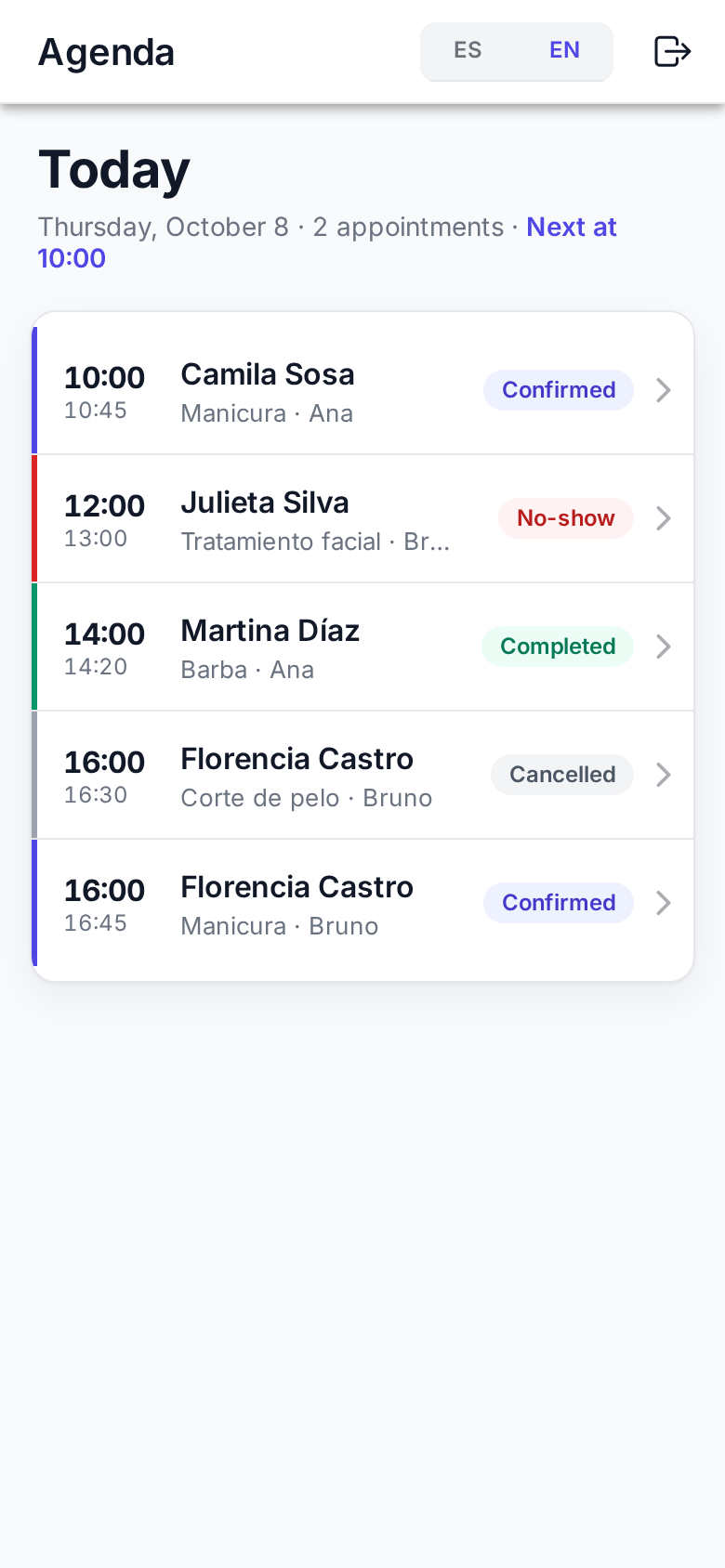
What each appointment shows
- Start and end time.
- Client, service and, when viewing everyone's, who it's with.
- Status: On hold, Confirmed, Completed, Cancelled, Expired or No-show (what each means).
Mine or everyone's
Above the list choose Mine (the default) or All to see the whole team's agenda.
Refreshing
Pull the list down to fetch new appointments. If a client just booked from the link, it appears when you refresh.
Tap an appointment to open it: Handling an appointment.
Today only
The app shows today. To see other days, move appointments or book, use the Business dashboard.