
Hours and closures
Settings › Hours. This is where you define when people can book.
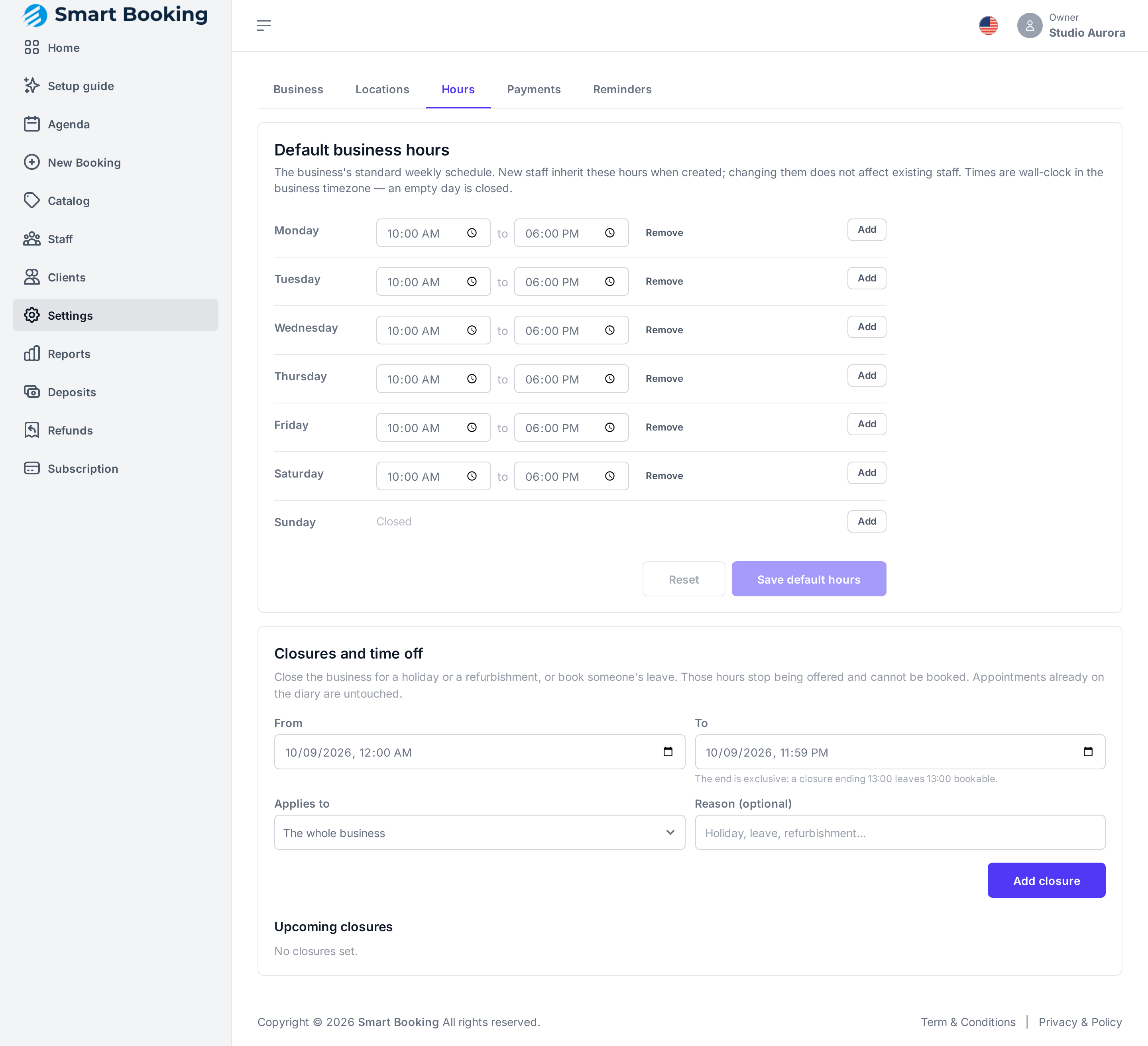
Default business hours
The business's normal weekly hours, in local time. An empty day is Closed. Tap Save default hours.
Changing them doesn't change existing staff
These hours are copied to each new person you add. Existing staff keep theirs: change those in Staff › Edit hours.
The business hours also grey out, in the Agenda, the hours that can't be booked.
Closures and time off
For a public holiday, a refurbishment or someone's vacation. During that period the agenda stops offering times and nobody can book.
- From and To: date and time.
- Applies to: The whole business or one person.
- Reason (optional): Holiday, Time off, Refurbishment…
- Tap Add closure.
It shows under Upcoming closures. To delete it, tap Remove.
How "To" is counted
The end is not included: a closure ending at 13:00 leaves the 13:00 slot free. To close the whole of the 25th, go from the 25th at 00:00 to the 26th at 00:00.
Existing bookings are not touched
Adding a closure does not cancel appointments already in that period. Check the Agenda and cancel or reschedule them by hand. When you reschedule, the client gets a notice.