
Reports
How the business is doing. Pick a period: Last 7, 30 or 90 days. Owner-only.
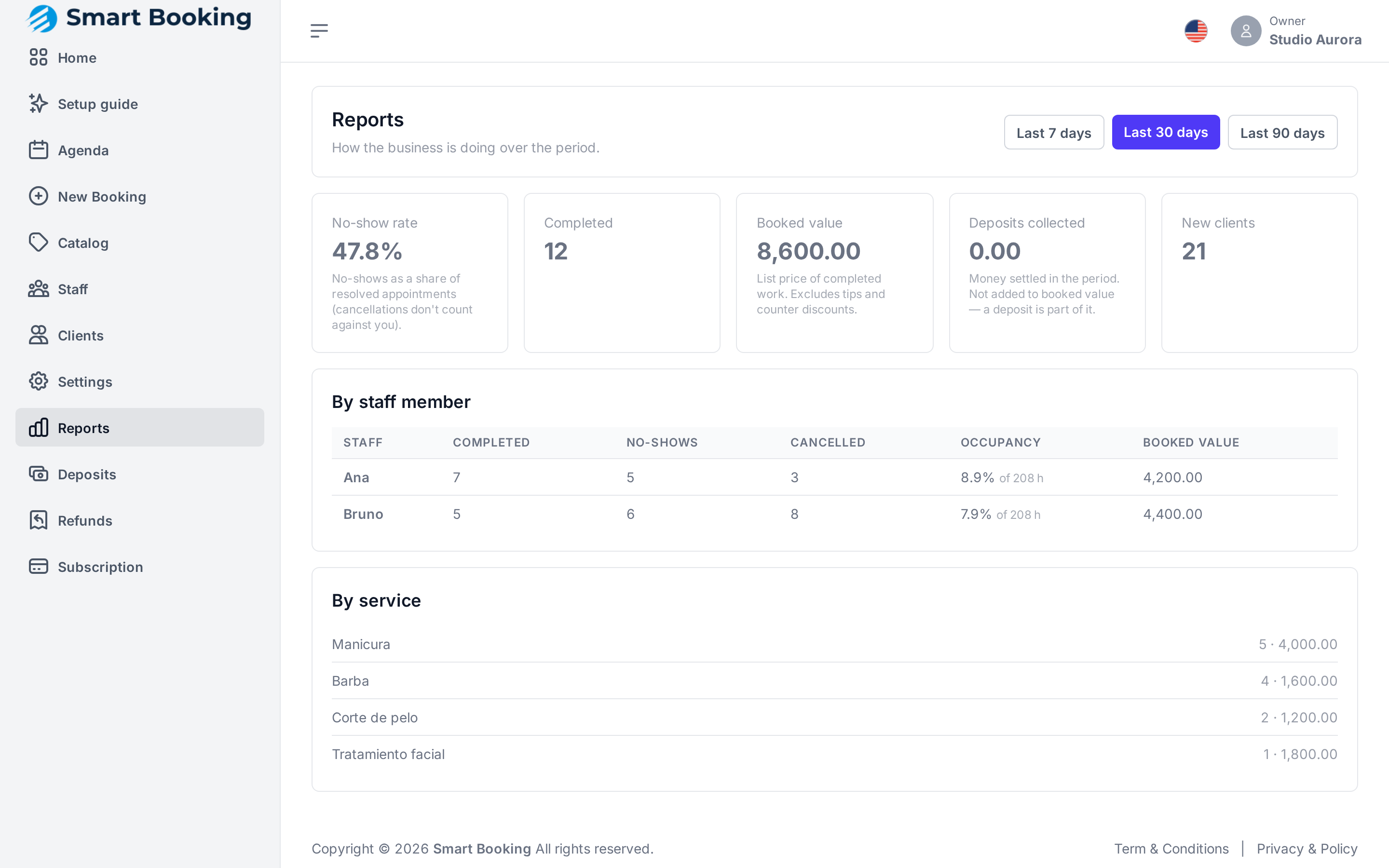
| Figure | What it measures |
|---|---|
| No-show rate | No-shows over resolved appointments. Cancellations with notice don't count. |
| Completed / No-shows / Cancelled | How many appointments ended each way. |
| Booked value | List price of work completed. Excludes tips and desk discounts. |
| Deposits collected | Deposit money that cleared in the period. It's already part of booked value, not added on top. |
| New clients | People who booked for the first time. |
| By staff member | Completed, value and occupancy: booked hours over working hours. |
| By service | How often each service was done and what it was worth. |
| Bookings by source | Where online bookings came from → below. |
The numbers depend on marking appointments
An appointment nobody marked completed or no-show counts as neither. Ask the team to mark their appointments from the Staff app.
Bookings by source
How many bookings made on your page arrived each way: Google, Instagram, QR code, Link sent on WhatsApp, Another website or Direct (someone who had the link saved or typed it). Bookings you enter at the desk are not counted here, and neither is a deposit nobody paid.
It tells you what is worth the effort: if the QR on the mirror brings more appointments than Instagram, you know where to put your energy. For Google to show up, use the link from "Book" button on Google.
The monthly summary by email
On the 1st at 9:00 (business time) you get an email about the month before: appointments, completed, no-shows (and what percentage), the value of completed work, deposits collected, new clients and, if you use Remind to book again, how many of those clients booked again. Every owner of the account gets it.
To stop it: Settings › Reminders › Monthly summary by email.