
Sales and products
In Sales you see everything that was charged — the visits you charged from the agenda and the counter sales — and set up the products you sell.
The day's sales
Pick Today or Last 7 days. Each sale shows the time, the client (or Counter sale), what was sold, how they paid and the total. At the top you see how many sales there were and what they add up to.
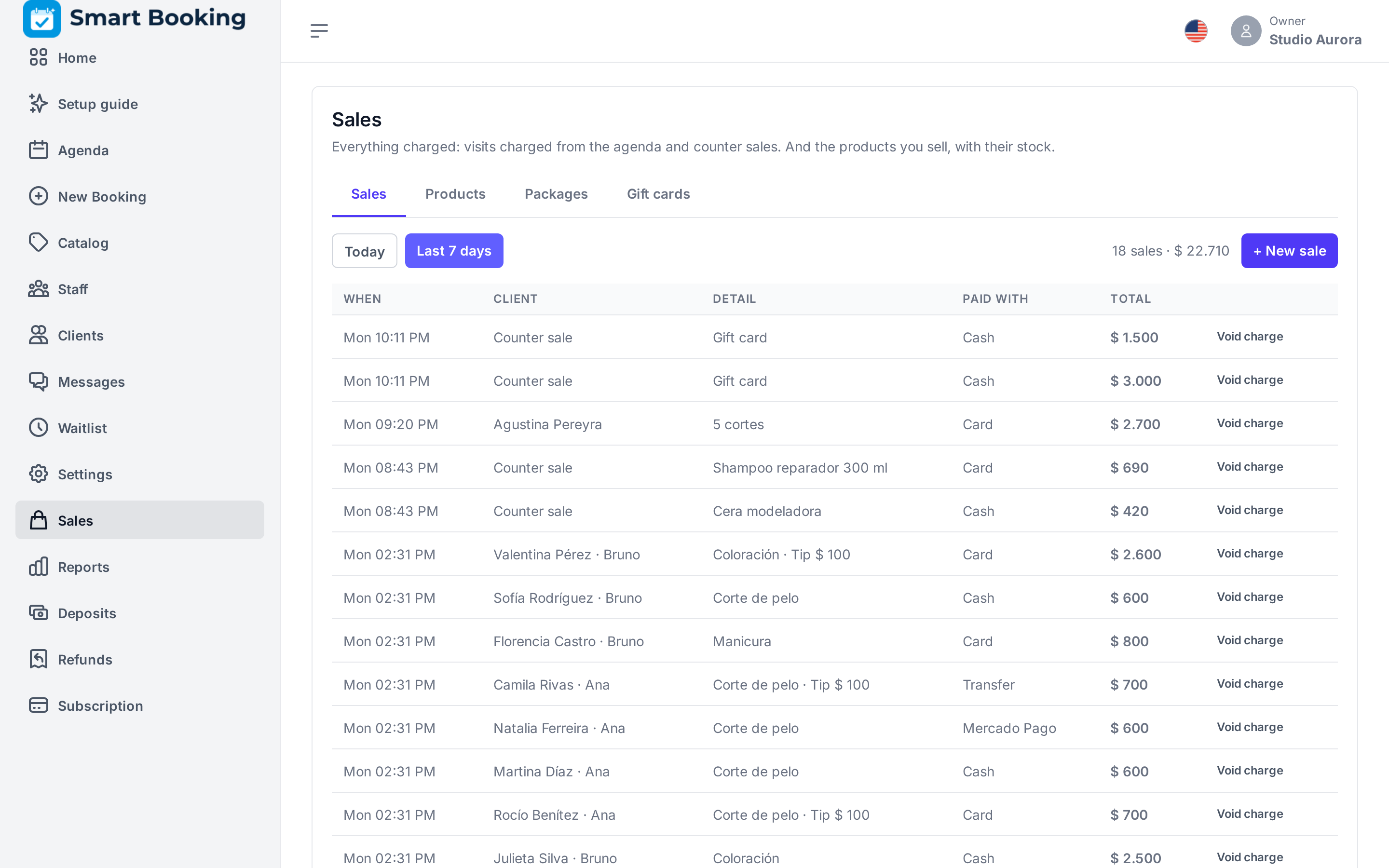
If a sale is wrong, tap Void charge and write why. It is crossed out, does not count in the till, and if it had products, the stock goes back.
A sale with no appointment
For someone who only buys a product, tap New sale:
- Pick the product and the quantity (Add product to add another).
- Who sold it?: the professional who gets the product's commission, if any.
- Choose how they paid (you can split it) and tap Charge.
To charge a visit, open it in the Agenda: you can add products there too.
Products
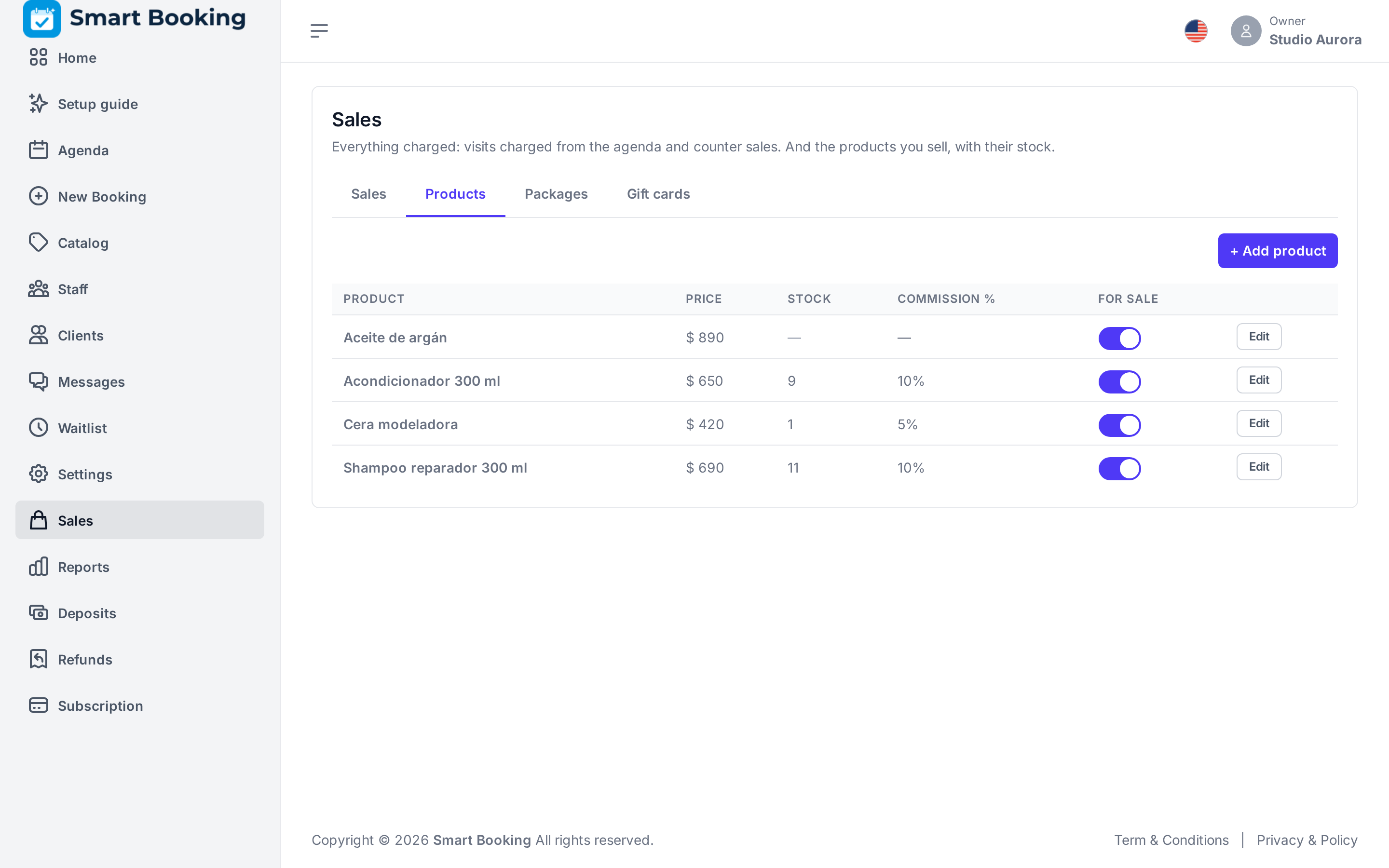
In the Products tab you set up what you sell at the counter:
- Price.
- Stock: if you fill it in, it goes down with each sale. Empty = do not track. If you sell more than there was, the sale still goes through and you are told the stock went negative — fix it by editing the product.
- Commission %: for whoever sells it (empty = none). It is the product's own, not the services' rate.
- For sale: turn it off to stop selling it without deleting it.
Packages
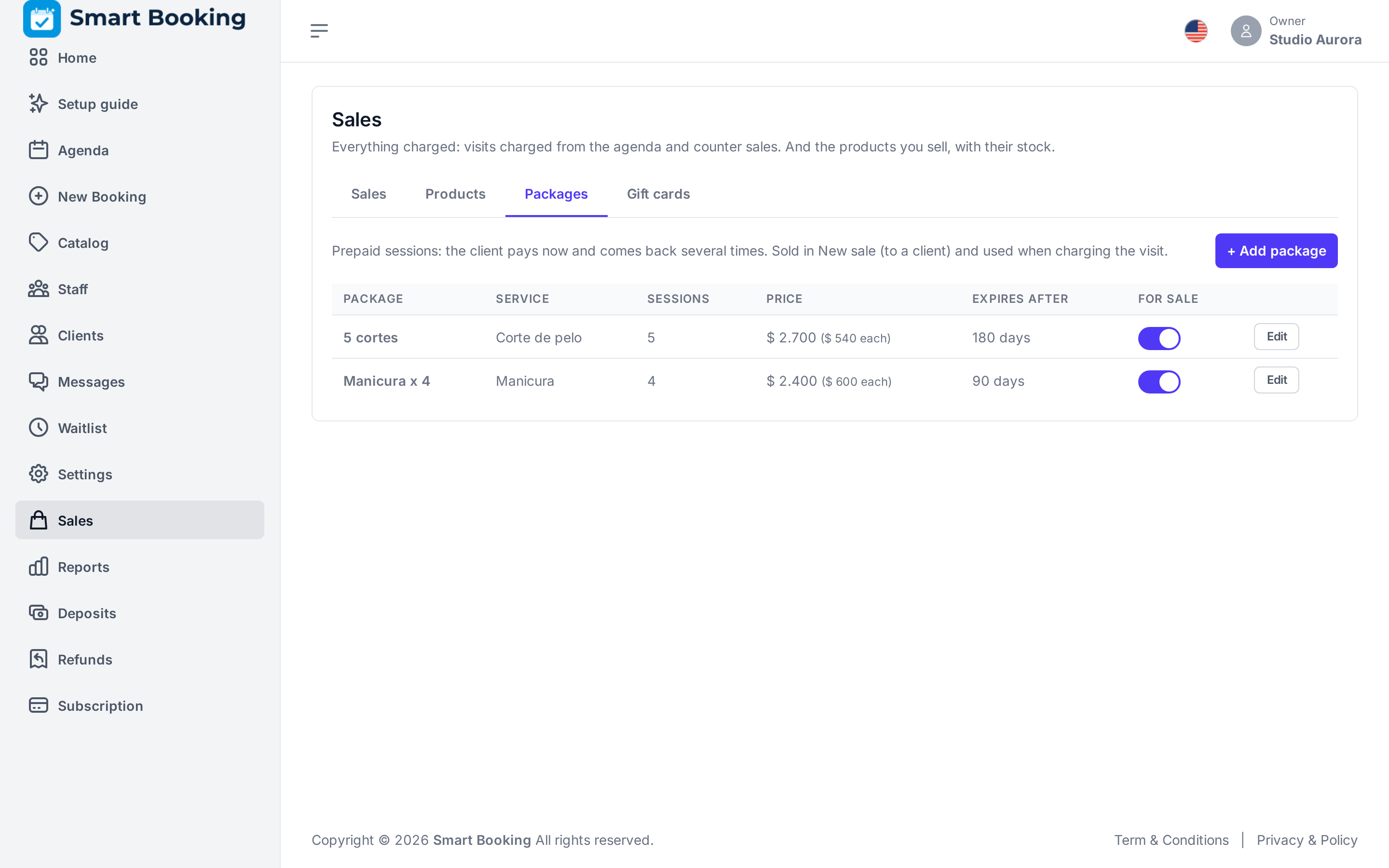
A package is prepaid sessions of a service: 5 cuts for $ 4,000. The client pays now and comes back several times.
Creating it — in the Packages tab, tap Add package: name, service, how many sessions, price, and after how many days it expires (180 by default, counted from the day it is sold; tick Never expires only if it should last forever). The Commission % is for whoever sells it.
Selling it — in New sale, tap Sell a package, pick it and search for the client (a package always belongs to someone). Charge it like any sale.
Using it — when that client comes for that service, charging the visit shows Use a package with the sessions left. The session pays for the service; you only charge the tip or products, if any. One session is taken off, and when none are left the package is used up.
- If you void a charge that used a session, the session goes back to the package.
- A package's sale can be voided as long as none of its sessions has been used.
- A week before it expires, if it still has sessions, the client gets a WhatsApp reminder. Once expired, the package can no longer be used.
- In Reports › Till, the package sale counts on the day it is paid; sessions used later do not add money to the till (it was already taken).