
Subscription
Subscription (left menu) shows your current plan and the others. Only the owner can change it.
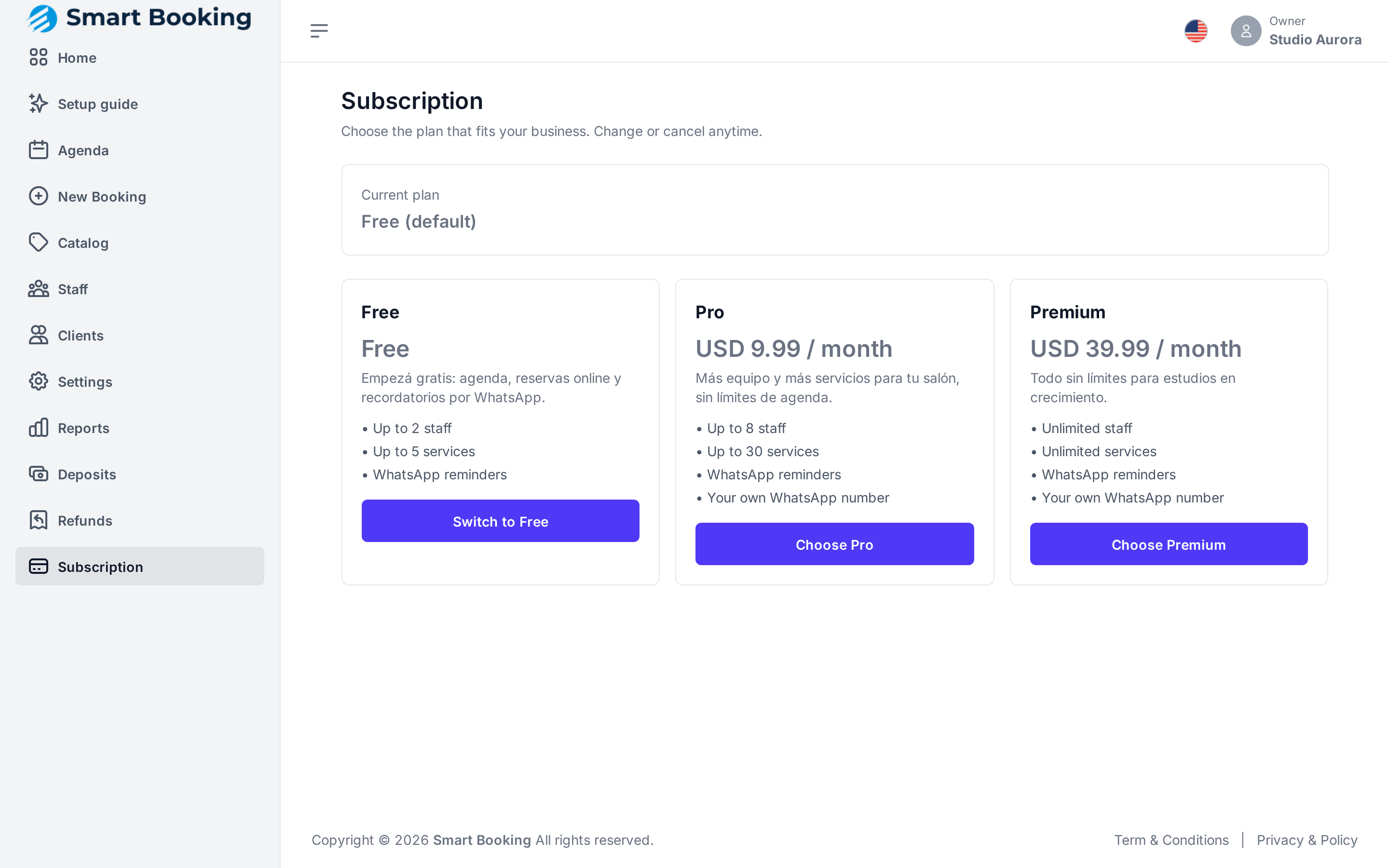
The plans
They differ in how many staff and how many services you can add. All include WhatsApp reminders; from Pro, they also go out from your business's own WhatsApp. Current prices and limits are at sbooking.app.
Changing plan
Tap Choose on the plan you want and complete the payment. Back in the dashboard you see Payment received — updating your plan… and, a few seconds later, You're now on ….
Cancelling
Tap Cancel subscription. You go back to the Free plan. If you have more staff or services than it allows, nothing is deleted, but you can't add more until you're within the limit.
Statuses
| Status | Meaning |
|---|---|
| Active | All good. Shows the renewal date. |
| Payment pending | The payment hasn't been completed. |
| Past due | The renewal couldn't be charged. Check your payment method. |
| Canceled | You cancelled it. |