
Home
The screen to leave open at the front desk: how the day is going and what needs you.
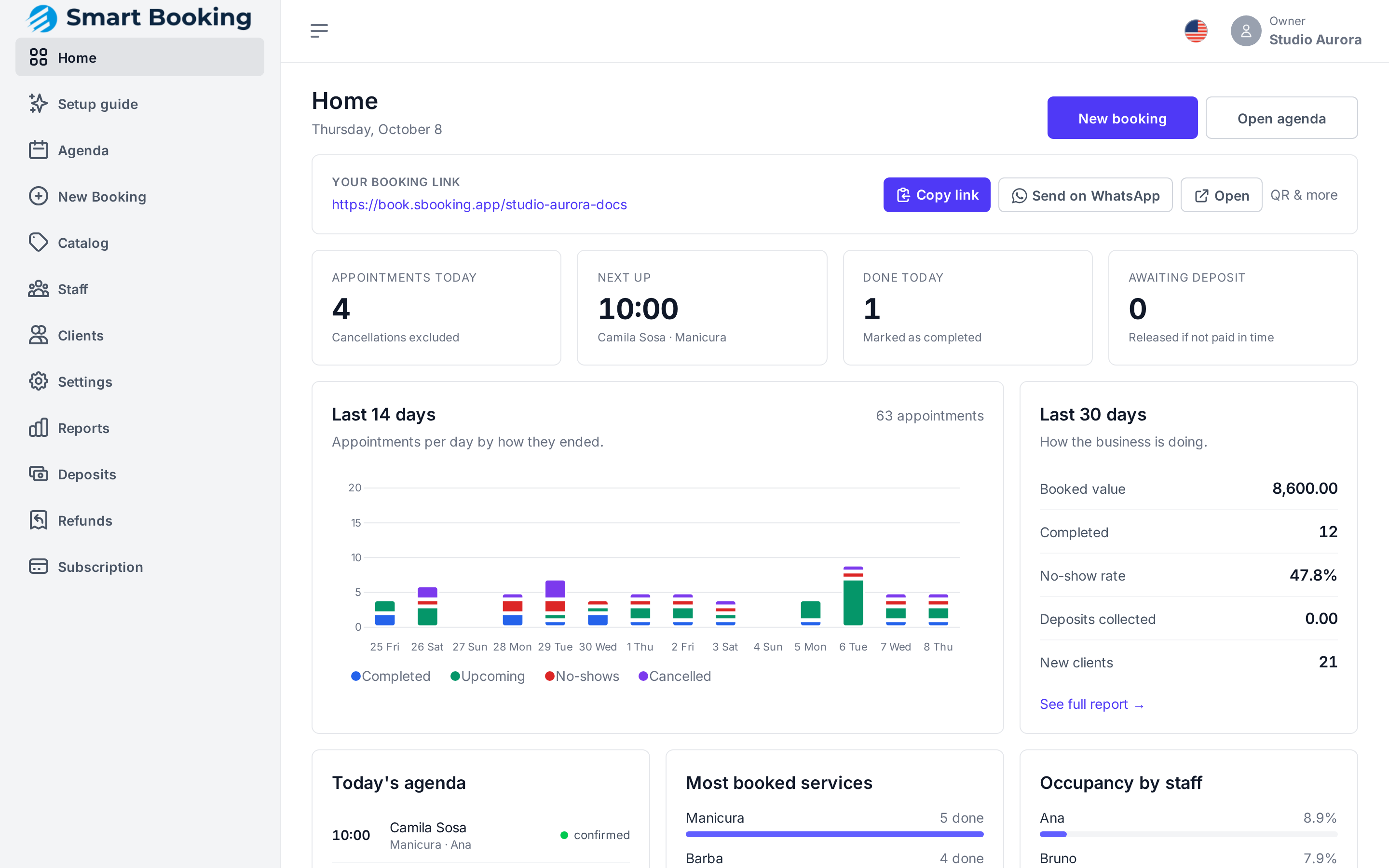
What it shows
- Needs your attention: only appears when something is pending. That can be bank transfers to confirm, refunds due, today's appointments waiting on a deposit, or a team member who gets no notifications (no phone and no app access). Tap a notice to go straight to it.
- Appointments today, not counting cancelled ones.
- Next up: the next client and their service.
- Done today: appointments already marked completed.
- Awaiting deposit: today's appointments that free up if not paid in time.
- Last 14 days: appointments per day, by how they ended.
- Last 30 days: booked value, completed, no-show rate, deposits collected and new clients. See full report opens Reports.
- Today's agenda, Most booked services and Occupancy by staff.
The screen updates by itself when a booking comes in or changes, with no reload.
Staff vs. owner
Someone signed in as staff doesn't see amounts, deposits or refunds. Those are for the owner only.
New booking and Open agenda are at the top right.